
Try 3 days for $4.99
A lighter iPhone,sorted in minutes
Secure Clean hunts down look-alike shots, twin contacts and forgotten leftovers, so your phone feels roomy and orderly again.
More room · Tidy gallery · Clean address book
-
Storage
Win back room
-
Contacts
Merge twin entries
-
Photos
Gather look-alike shots
Inside the app
Six tools for a tidier phone
Core tools cost nothing. Power tools unlock with a Premium plan.
-
Basic
Photo Cleanup
Surface near-identical pictures and screenshots, then delete the extras in a few taps.
-
Basic
Contact Cleanup
Catch twin and half-filled contact cards and keep your address book in shape.
-
Premium
Metadata Cleaner
Remove location and camera details from pictures before they leave your phone.
-
Premium
Photo Compression
Make pictures lighter with a single pass and get precious gigabytes back.
-
Premium
Secret Folders
Hide chosen pictures in a vault that only opens with your PIN.
-
Premium
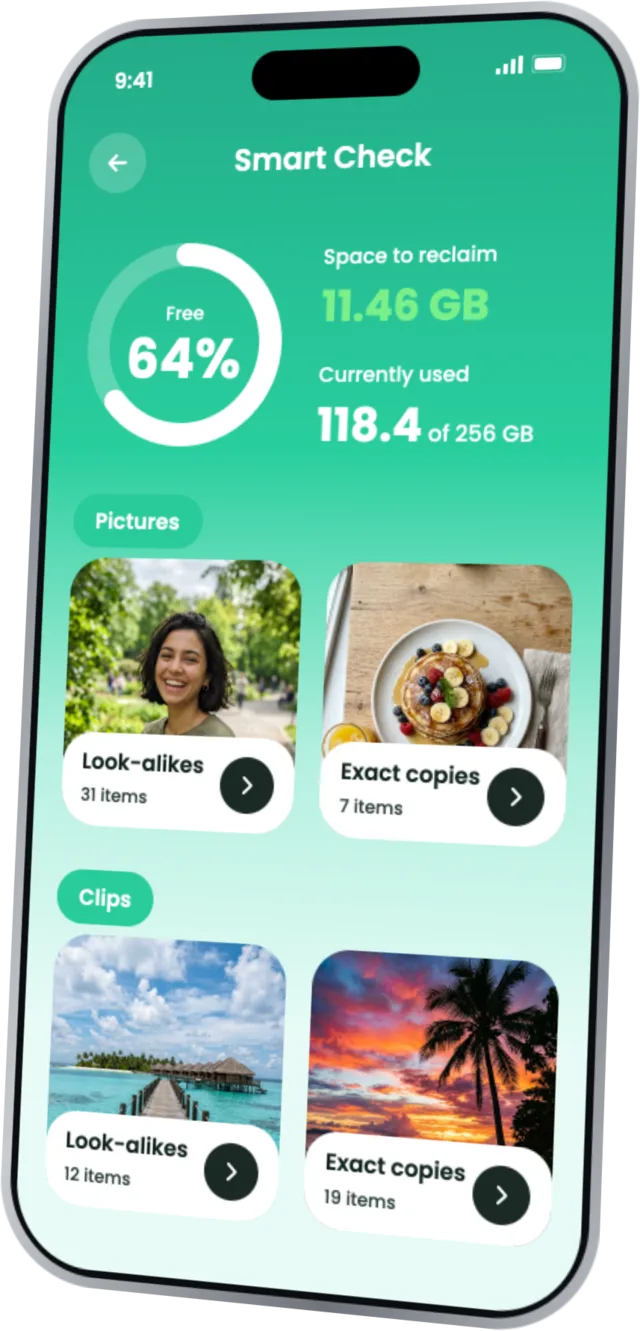
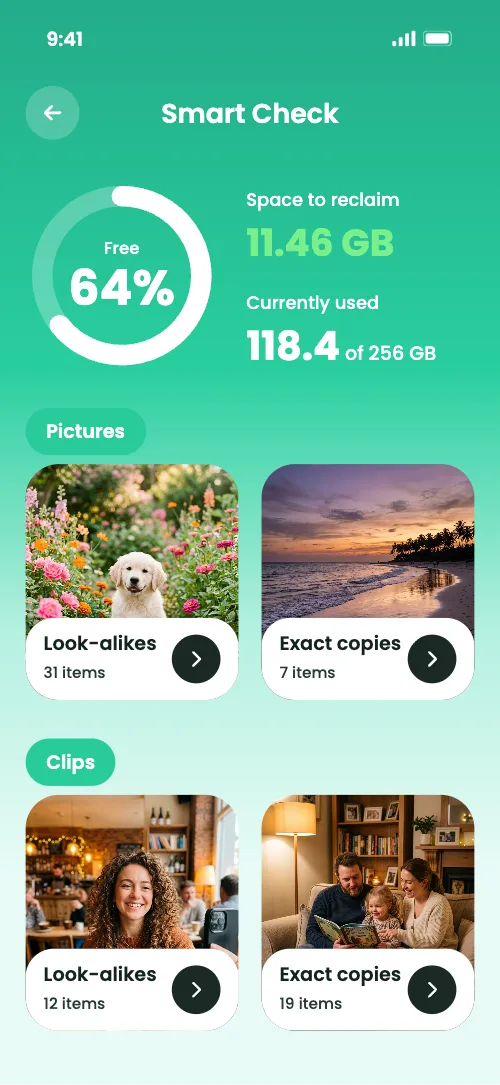
Smart Check
See at a glance where your storage went and what can safely go.
How it works
Get your phone in order in three quick steps
Open Secure Clean and let it free up space, sort your gallery and straighten out your contacts.
-
Kick off the 3-day trial
Pay $4.99 for three days of full access and create your Secure Clean account.
-
Run a Smart Check
The app lines up look-alike and repeated photos and shows what is safe to remove.
-
Clear it out, keep it neat
Reclaim space, sort pictures and contacts, and stop clutter from creeping back.
A closer look
See the app at work
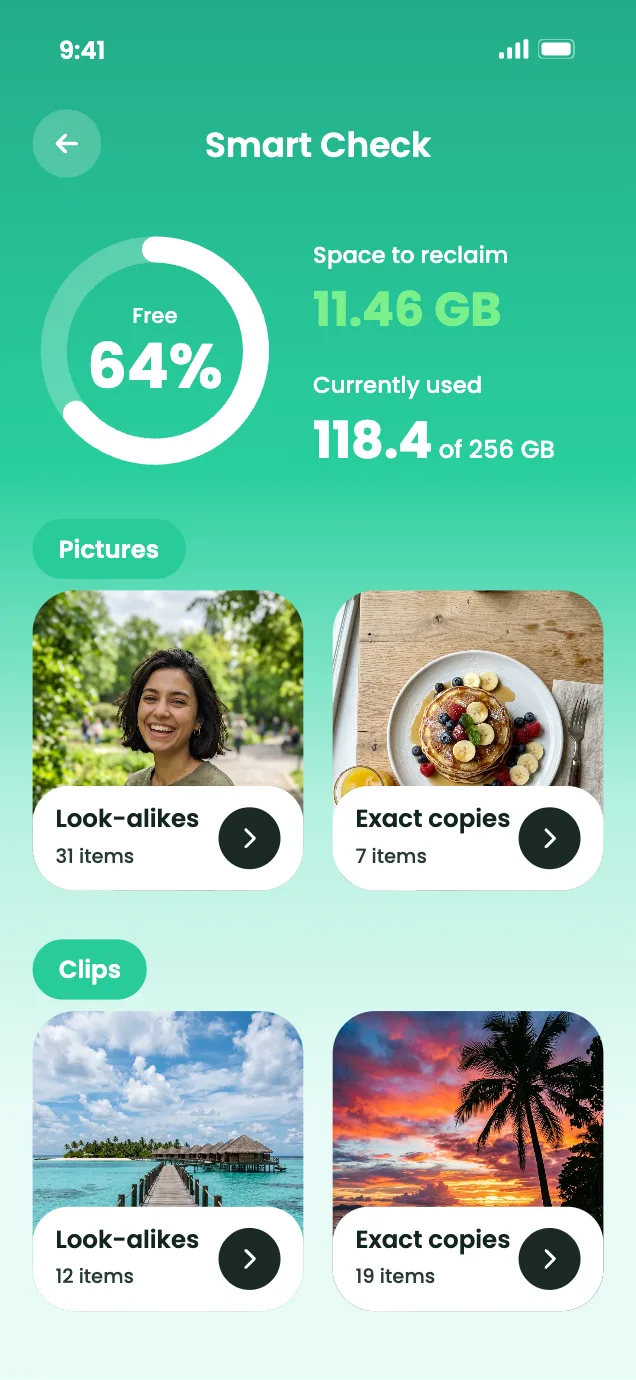
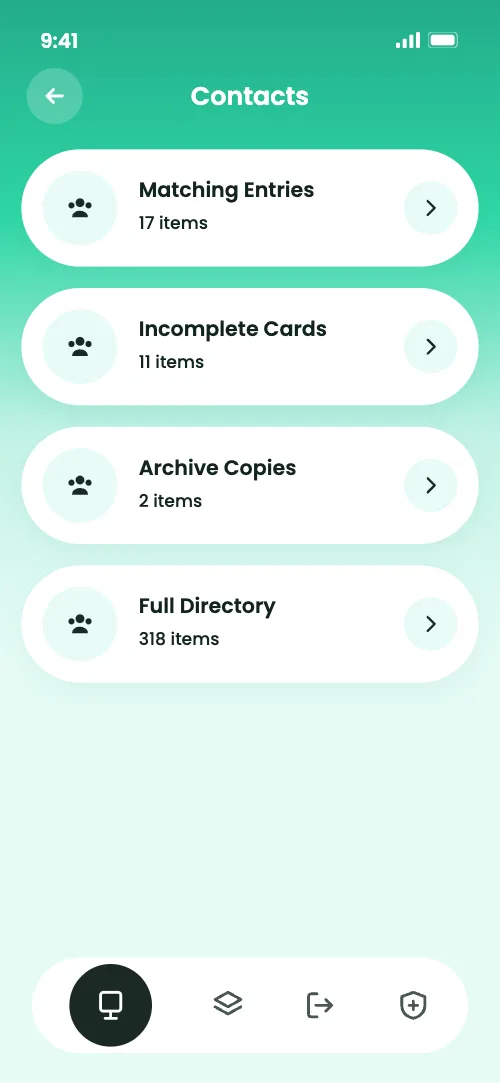
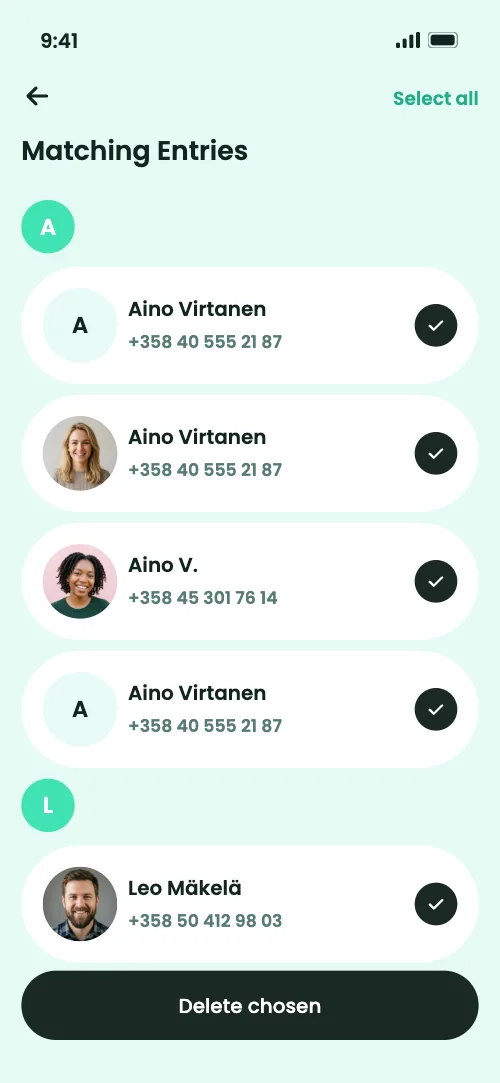
A short tour of the screens you will open most, from Smart Check to matching contacts and photos.
- Smart Check points out surplus files and how much room you can win
- Look-alike and repeated photos sit in groups for fast clearing
- Deal with twin and half-empty contacts in one spot
- Erase location and EXIF data from your pictures
Premium plans
Get every tool in Secure Clean
Start with a 3-day pass and use the advanced tools to sweep photos, sort contacts and reclaim space.
- Photo Cleanup — surface near-identical pictures and screenshots
- Photo Compression — lighter pictures, more free space
- Contact Cleanup — catch twin and half-filled cards
- Metadata Cleaner — drop location and EXIF details
- Secret Folders — hide chosen pictures behind a PIN
- Smart Check — learn what can safely go
How it works
Your way in, step by step
You buy Premium on this website, not through the App Store.
- 1Begin the 3-day trial for $4.99
- 2Set up your account and open Secure Clean
- 3Work with the advanced cleaning, security, privacy and speed tools
3 day trial for $4.99, then $44.99 per month, renewing automatically until cancelled. Cancel before your next billing date to avoid the next charge.
Pricing
Find your Premium plan
Choose the option that fits you. Every subscription renews on its own until you cancel.
- Good place to
begin
3 Day Trial
$4.99for 3 daysThen $44.99 per month until cancelled
- Photo Cleanup & Compression
- Contact Cleanup
- Metadata Cleaner
- Secret Folders & Smart Check
-
Weekly
$10.99per weekRenews weekly until cancelled
- Photo Cleanup & Compression
- Contact Cleanup
- Metadata Cleaner
- Secret Folders & Smart Check
-
Monthly
$44.99per monthRenews monthly until cancelled
- Photo Cleanup & Compression
- Contact Cleanup
- Metadata Cleaner
- Secret Folders & Smart Check
Renewal and Billing Terms. Plans renew by themselves until cancelled. Cancel ahead of your next billing date and you will not be charged again.
Your Account. Once you subscribe, an email brings the password for your personal account. Log in with it to open Secure Clean.
Openness
What each permission is for
Secure Clean asks only for the access its tools need to work.
Privacy comes first
Your data stays yours
Built around privacy
- Pictures and contacts are analyzed on your device itself
- Their content is never sent to Secure Clean servers
You make the calls
- Check each finding before you decide what to remove
- Choose which pictures and contacts Secure Clean may handle
FAQ
Questions people ask
What comes after the 3-day trial?
The trial costs $4.99 for three days. Afterwards the plan continues at $44.99 a month and renews until you cancel. Cancel before the next billing date and nothing more is charged.
Which plans are on offer?
Three: a 3-day trial at $4.99 that rolls into $44.99 a month, a weekly plan at $10.99, and a monthly plan at $44.99. All of them renew automatically until cancelled.
Is a subscription required?
Core features are available in the Basic app. Advanced tools such as Photo Compression, Metadata Cleaner, Secret Folders and Smart Check are part of Premium, which you can start with the 3-day trial or a weekly or monthly plan.
How can I cancel?
Log in to your customer account and cancel whenever you like. If something blocks you, email contact@simplecapitalfinance.com and we will sort it out. Cancel before the next billing date to skip the next charge.
Can I be refunded?
Refunds are handled under the terms of our Refund Policy. It explains who qualifies and how to send a request.
What does Secure Clean do?
It helps you free up storage, find similar and duplicate photos, compress photos, tidy duplicate and incomplete contacts, strip GPS and EXIF metadata, and keep chosen photos in PIN-protected Secret Folders.
Do I decide what gets removed?
Always. Each finding is shown first, and you choose what goes and what stays.
What do I need to run it?
Secure Clean is made for iPhone. Run a recent iOS version and allow access to Photos and Contacts so the tools can do their job.
Make room. Stay tidy.
Get strong tools that free up space, sort your pictures and contacts and keep your iPhone clutter-free.
3 day trial for $4.99 · Then $44.99 per month until cancelled